
Privacy Page
BCMS includes a Privacy mode to comply with certain international regulations on tracking specific activity to specific users. When Privacy is enabled, BCMS will remove all information that can be used to trace user activity back to an individual. BCMS will remove all personally identifiable information from all client user accounts that meet any of the criteria established in the Privacy settings.
Since Privacy is disabled by default, this notice will be displayed until Privacy is enabled.

Enabling Privacy will require the system to be made inactive and reactivated in order to make the necessary changes to the system.
The Privacy options become selectable when the feature is enabled.
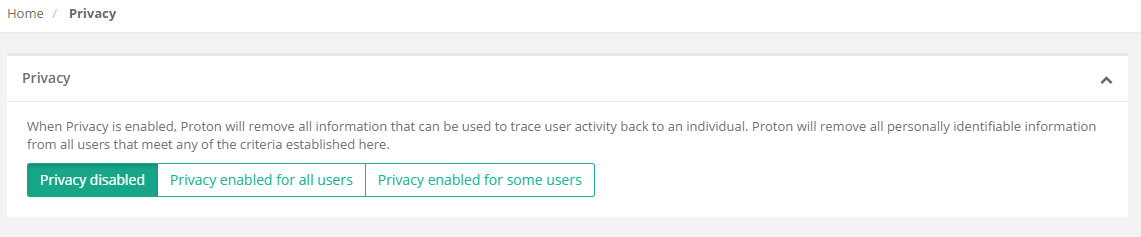
To enable Privacy for all client user accounts, select the ‘Privacy enabled for all users’ button. Then select the scope — either ‘Anonymize users’ to only anonymize usernames and IP addresses, or ‘Anonymize users and machines’ to also anonymize machine names. Then Save Changes to commit the Privacy setting. This will anonymize all client user accounts, IP addresses, and (optionally) machine names for all activity from this point forward. It will not retroactively anonymize any prior activity. If you’ve already collected activity data, it will remain in the database and be visible on reports until that data is purged by the data retention policy settings.

Anonymized activity data will be evident in three fields: User, IP Address, and (optionally) Machine. In the example below, the user who accessed www.msn.com has been anonymized to Anonymous155. (The next anonymized user seen by this BCMS server will be Anonymous156.) The IP Address has also been anonymized, zeroing out the last octet. Machine anonymization is not enabled in this example.
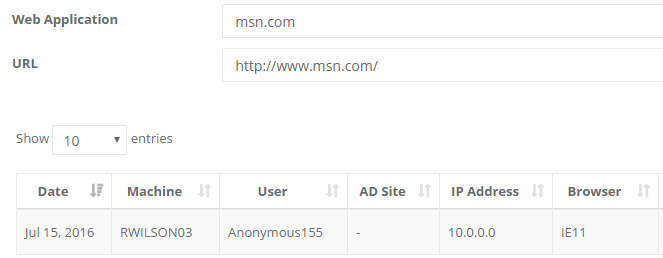
Maintaining unique anonymized user and machine names is key to Proton’s ability to track access counts and other data for each web application used by your organization. While the activity can’t be tracked to an individual user, it can be correlated with other data to help you to make informed decisions when managing your web browser and web application environment.
To enable more granular control over which client user accounts are anonymized on your Proton server, select the ‘Privacy enabled for some users’ button. This expands the controls available on the privacy page.

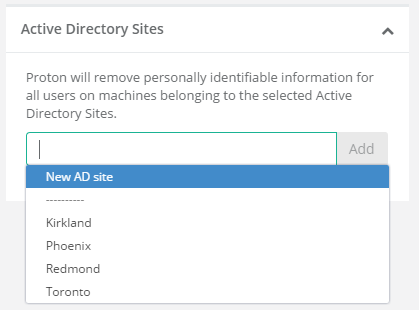
Privacy settings can be limited by Organizational Unit, Active Directory Sites, or IP Address ranges. You can read from existing data to add OU or AD Sites filtering, or add new entries based on your knowledge of your Active Directory structure.

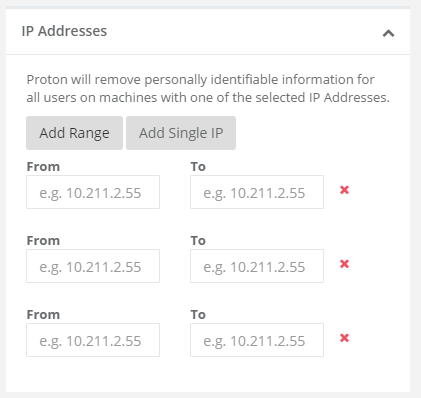
You can add multiple IP address ranges by clicking the ‘Add Range’ button.
For systems and settings management only, these settings offer limited value when just using BCMS for client management. Browsium Client data collected with BCMS is minimal, so Privacy settings may not limit access to much data. As mentioned previously, the BCMS server and Proton systems are integrated to make deployments easier and more streamlined for customers. As such, the Privacy management settings controls are included with BCMS by default.