
Configuration Page
The Configuration page allows BCMS administrators (and power users, but not standard users) to control client configuration settings (heartbeat and inventory intervals) and data retention options.
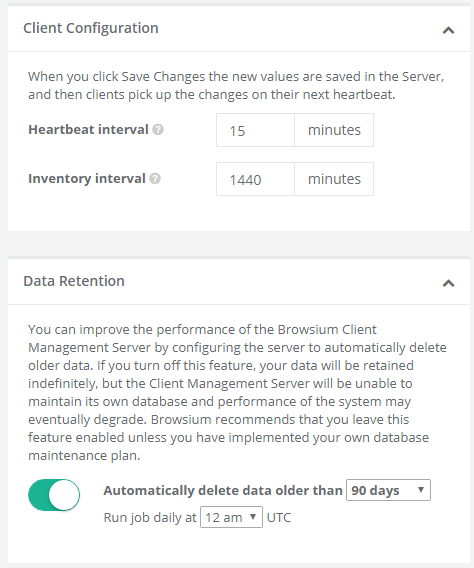
Client Configuration
Section titled “Client Configuration”For the Client Configuration options, administrators can specify the frequency in which Browsium clients will interact with the BCMS server.

The available settings for Client Configuration are as follows:
Value Description BCMS Server Default
Heartbeat interval The interval at which clients poll the server (for changes or updates) 5 minutes
Inventory interval The interval at which clients perform the basic inventory of installed components. 1440 minutes
Section titled “Inventory interval The interval at which clients perform the basic inventory of installed components. 1440 minutes”Data Retention
Section titled “Data Retention”BCMS offers the ability to define data retention policies to support organizational or regulatory compliance requirements, as well as serve to ensure organizations have the ability to limit unbounded growth of the BCMS (and potentially Proton) dataset. The default settings for BCMS are to automatically delete data on a rolling 90-day window, each night at midnight. The values can be adjusted by using the drop-down menu. Alternatively, data retention policies can be entirely disabled by switching the button to the left (off) position.
